The Ultimate Mine a Mountain Guide: Tips, Upgrades, and Strategies
Master the frozen peaks with our comprehensive Mine a Mountain guide. Learn about upgrades, warmth mechanics, and how to maximize your crystal profits.
Scaling the frozen peaks of a digital summit requires more than just a sturdy pickaxe; it requires a strategy. If you are looking for the definitive mine a mountain guide, you have come to the right place to start your journey from the base to the summit. This mine a mountain guide will help you navigate the treacherous, cold environments and the fast-paced economy of this popular Roblox simulation game.
Developed by 10K Steps, Mine a Mountain has quickly become a standout title in the incremental simulator subgenre. With over 61.6 million visits and a consistent player base of tens of thousands, the game challenges players to balance their greed for rare crystals with the physical limitations of their equipment and the freezing temperatures of the high altitudes. In this article, we will break down every mechanic, from the hourly mountain resets to the essential upgrades you need to survive the trek.
Getting Started: The Core Gameplay Loop
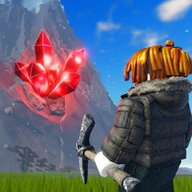
At its heart, Mine a Mountain is about efficiency and progression. The game places you at the foot of a massive, procedurally generated mountain that changes every single hour. Your primary goal is to climb as high as possible, mine rare crystals lodged in the terrain, and return to the base to sell those crystals for cash. This cash is then reinvested into your character to allow for deeper digs and higher climbs.
Following a mine a mountain guide is essential for new players because the initial grind can be challenging if you don't prioritize the right upgrades. When you first start, your backpack capacity is limited, your pickaxe is slow, and your resistance to the cold is almost non-existent. You must make frequent trips between the mining nodes and the sell station to build up your initial capital.
According to community reports, the most successful players focus on a "short-trip" strategy early on. Instead of trying to reach the peak immediately, they mine the most accessible crystals near the base, sell them, and immediately upgrade their backpack. This reduces the number of trips required and increases the "cash-per-minute" ratio during the early stages of the game.
Mastering the Upgrade System
The progression in Mine a Mountain is tied to three primary upgrade categories. Each one serves a specific purpose in your quest to conquer the peak. Balancing these three is the secret to reaching the highest points of the mountain where the rarest crystals reside.
The Three Pillars of Progression
As mentioned in this mine a mountain guide, the "Warmth" mechanic is what sets this game apart from standard mining simulators. As you ascend, the temperature drops. If your warmth stat is too low, your character will begin to freeze, eventually forcing a reset or hindering your progress. Upgrading warmth is not just a luxury; it is a hard requirement for reaching the "End Game" content located at the summit.
Upgrade Priority Strategy
For players looking for a comprehensive mine a mountain guide on spending their hard-earned cash, the following table outlines a suggested priority list based on player experience:
In the early game, storage is your biggest bottleneck. In the mid-game, you need the speed to clear nodes quickly. By the time you are an advanced player, the environment itself becomes your greatest enemy, making warmth the top priority.
Understanding the Hourly Mountain Cycle
One of the most unique features of Mine a Mountain is the dynamic environment. The game description notes that a "NEW mountain EVERY HOUR." This means that the layout, crystal distribution, and climbing paths are constantly shifting.
This hourly reset serves several purposes. First, it keeps the gameplay fresh, ensuring that players cannot simply memorize a single path to the top. Second, it creates a sense of urgency. If you find a particularly rich vein of rare crystals, you only have until the end of the hour to exploit it before the mountain changes.
Navigating the Reset
Community reports suggest that the transition period—the few minutes right after a new mountain spawns—is the best time to find "easy" crystals that might have spawned in accessible locations. Always keep an eye on the clock to ensure you aren't caught deep in a cave or high on a peak when the world refreshes.
Maximizing Your Digging Luck and Efficiency
In any incremental simulator, "Luck" plays a significant role in how quickly you progress. In Mine a Mountain, luck determines the rarity of the crystals you find. While much of this is governed by the game's internal RNG (Random Number Generation), there are ways to tilt the scales in your favor.
The official game page encourages players to "Like & join the group" to receive a +1 Digging Luck bonus. While a +1 bonus might seem small, in the context of long-term grinding, it significantly increases the frequency of rare crystal spawns.
Ways to Improve Efficiency
- Join the 10K Steps Group: As noted, this provides a permanent luck buff that is essential for high-level play.
- Follow for Updates: The developers frequently release updates (like the one on August 1, 2026) that may tweak spawn rates or introduce new equipment.
- Social Play: While the game can be played solo, being in a server with active miners can sometimes help you identify where the best nodes are located through observation.
Using the strategies found in this mine a mountain guide, you can turn a standard mining session into a high-profit expedition. Remember that the genre is "Simulation" and "Incremental," meaning that small, consistent gains are often better than trying to hit a "jackpot" crystal immediately.
Safety, Community, and Game Maturity
Mine a Mountain is designed to be accessible to a wide audience, carrying a "Minimal" maturity rating. This means the game is generally suitable for all ages, though it does feature occasional or mild violence, typically represented in the mining mechanics or environmental hazards.
However, the developers are very strict about fair play. The official documentation issues a stern warning: "Exploiting, cheating, or using unauthorized software will result in a permanent ban." Because the game relies on an economy of cash and upgrades, maintaining a level playing field is crucial for the community's health.
Game Statistics at a Glance
With a server size of only 8 players, the experience feels intimate. You aren't competing with hundreds of people for the same crystal node, which allows for a more relaxed, strategic pace. This smaller server size also helps reduce lag, which is vital when you are trying to navigate narrow ledges near the summit.
Upcoming Content and Events
The developers at 10K Steps are active in maintaining the game. A significant update was scheduled for August 8, 2026, promising "NEW CONTENT & ADMIN ABUSE." In the context of Roblox games, "Admin Abuse" events are usually lighthearted community events where developers or moderators interact with the player base using special in-game powers for entertainment.
Staying informed about these events is a key part of any mine a mountain guide. These updates often introduce new tiers of pickaxes or backpacks, which can completely shift the current "meta" or best way to play. For example, a new tier of warmth gear could make the previously "impossible" peaks accessible to a broader range of players.
Conclusion
Mine a Mountain offers a compelling mix of exploration, resource management, and environmental survival. By balancing your upgrades between power, storage, and warmth, and by taking advantage of community luck bonuses, you can quickly climb the leaderboards. Use this mine a mountain guide to stay ahead of the curve, and remember to always keep one eye on the thermometer and the other on the clock. The mountain is waiting, and it changes every hour—so grab your pickaxe and start climbing!
FAQ
How do I stop freezing in Mine a Mountain?
To stop freezing, you must spend your earned cash on "Warmth" upgrades in the shop. As you climb higher, the environmental temperature drops, and only higher levels of warmth will allow you to survive at the summit.
What is the benefit of joining the 10K Steps group?
Joining the official developer group provides a permanent +1 Digging Luck bonus. This increases your chances of finding rare and valuable crystals, which significantly speeds up your progression.
How often does the mountain change?
The mountain resets and generates a completely new layout every hour. This includes new terrain, different crystal placements, and new paths to the top.
Does this mine a mountain guide recommend a specific upgrade order?
Yes, for beginners, it is generally recommended to prioritize backpack capacity first to minimize travel time, followed by pickaxe power for mining speed, and finally warmth once you are ready to tackle the higher altitudes.
Sources
Related Guides
Essential Mine a Mountain Tips: How to Reach the Peak and Mine Rare Crystals
Master the climb with our comprehensive Mine a Mountain tips. Learn how to upgrade gear, survive the cold, and maximize crystal profits in Roblox.
Mine a Mountain Tips and Tricks: Ultimate Roblox Climbing Guide
Master the climb, survive the freezing temperatures, and upgrade your gear with our essential Roblox Mine a Mountain tips and tricks.
The Ultimate Mine a Mountain Roblox Guide: Climb, Mine, and Conquer the Peaks
Master the heights with our Mine a Mountain Roblox guide. Learn how to upgrade gear, survive the cold, and mine rare crystals efficiently in this simulator.